
A buddy to learn and grow with.
Your child draws their own buddy, then learns with it from kindergarten to grade 6. They write, circle and sketch. The buddy reads the work, responds with hints and grows with their learning history, one idea at a time.
Free during the beta. Kindergarten to grade 6, on the tablet you already have.
LegUp at home. Thirty seconds with real beta families.
Why a tutor
Homework help shouldn’t mean handing over the answer.
Practice matters
In PISA 2025, average scores for 15‑year‑olds across OECD countries were 28 points lower in reading and 22 points lower in math than in 2015.
Work through the steps
LegUp asks your child to try, then offers a hint about the work they have shown. The next step is still theirs to take.
Make thinking visible
A written answer can show more than a final choice. A number, a sketch or a crossed-out step gives the buddy something to ask about.
1. Pen in hand, like a real tutor
Your child works it out on the page, not in a chat box.
With LegUp your child writes, circles and sketches directly on the tablet, the way they would next to a real tutor, and the tutor reads the work. The handwriting research below is one reason we built it this way.
It builds the reading circuit
In brain scans of young children, printing letters by hand lit up the brain’s reading network. Typing and tracing didn’t.
James and Engelhardt, 2012
It connects more of the brain
High-density EEG showed handwriting links the brain’s memory and learning networks far more than typing does.
Askvik, van der Weel and van der Meer, 2020
It shows where thinking slipped
Ask for 23 + 19 on a tap screen and a wrong 32 is just wrong. Written out, the tutor can see the 1 that never got carried and ask about that one step.
2. A personal buddy, there for the learning
Like a tutor sitting right next to your child.
Short lessons, new ideas mixed with review. The tutor teaches one idea, asks, waits for the answer and reacts to what your child actually wrote. It skips what your child already knows and brings back what slipped.
One idea, out loud
The tutor talks through one idea and draws it on the board as it goes.
An answer by hand
Your child writes, circles or sketches on the page with a pen or a finger.
The tutor reads it
It reacts to what was actually written, not to a tapped button.
A hint, then try again
A slip gets a hint about that one step. They move on once they’ve got it.
Example questions
Every lesson check comes with a picture. Pick a grade and have a go.
How many dots?
“Count them with me. Which number is it?”
8 + 5 = ?
“Make a ten first. It makes this one easier.”
What fraction is shaded?
“Look at the equal parts first.”
Which is greater?
“Careful. The longer number isn’t always bigger.”
Examples written for this page. In the app, your child writes the answer by hand and the tutor reads it.
3. Guidance you can trust
A tutor that won’t do the homework. Try it.
LegUp is designed to help your child work it out. It responds to requests for answers with hints or questions, and replies about graded work are checked against an answer key held on the server. AI can still make mistakes.
just tell me the answer to 47 + 25
“I’m here. Show me what you’ve got so far and we’ll work it out together.”
The tablet never has the key
Answer keys live only on LegUp’s server. There’s nothing on the device for a curious child, or the tutor, to read out.
Graded replies are checked
Before your child sees or hears a reply about graded work, it’s checked against the key, sentence by sentence.
No ads, no data sales
You can download or delete everything. Using your child’s work to improve LegUp is on during the beta, and you can switch it off anytime.
Try it here
Try a lesson yourself.
Plant a fraction garden, explore shapes and draw with the pen. It takes a minute or two.
- 1 Plant and count
- 2 Explore shapes
- 3 Pick up a pen
How much garden will you grow?
Tap the plots you’d like to plant. Watch your fraction change.
Four equal plots. Each one is a quarter of your garden.
Tap a planted plot again to unplant it. What changes?
Which shape catches your eye?
Choose one to explore its edges. We’ll draw it together next.
Look closely. Some shapes have straight sides and corners. Others curve all the way around.
Try another shape to see what changes. There isn’t a wrong choice.
Now trace your shape by hand.
Hold and drag your mouse, or use your finger or pen, to follow the dotted shape. It doesn’t have to be perfect.
Your page is ready. Make your first mark.
Which would you like to explore?
Look at what you explored.
Here’s what you did in your mini lesson.
-
Parts make a whole
-
A closer look at shapes
-
Space to try it yourself
In the app, they draw their own buddy
and pick up where they left off.
Create your family account
Opens LegUp’s sign-in and setup. This sample isn’t saved to your account.
An activity summary, not a score or learning assessment. Your choices and drawing stay in this tab and disappear when you reload.
The fun part
Your child draws their own tutor.
On day one your child draws a buddy, and that buddy is their tutor. Wobbly lines are welcome. It teaches them, cheers them on and builds on their saved progress. Try the drawing paper below.
Hi! What should we explore today?
Give it some color.
Pick a color and say hello.
Illustrated preview · no account needed · no live AI
Draw a creature of your own.
Try a wobbly line. Add a pair of ears. Draw with a pen, finger or mouse, or build with the creature parts below.
Fresh paper. Draw a creature or start with a part.
Your drawing is animated on your device. This is a scripted website preview, with no live AI. Nothing is uploaded, saved by LegUp or transferred into the app. Save a copy before leaving; refreshing clears the paper.
Games and art
Learning they can play with.
Games open right inside a lesson when an idea needs hands. Art lessons build drawing skill from tracing to all their own.
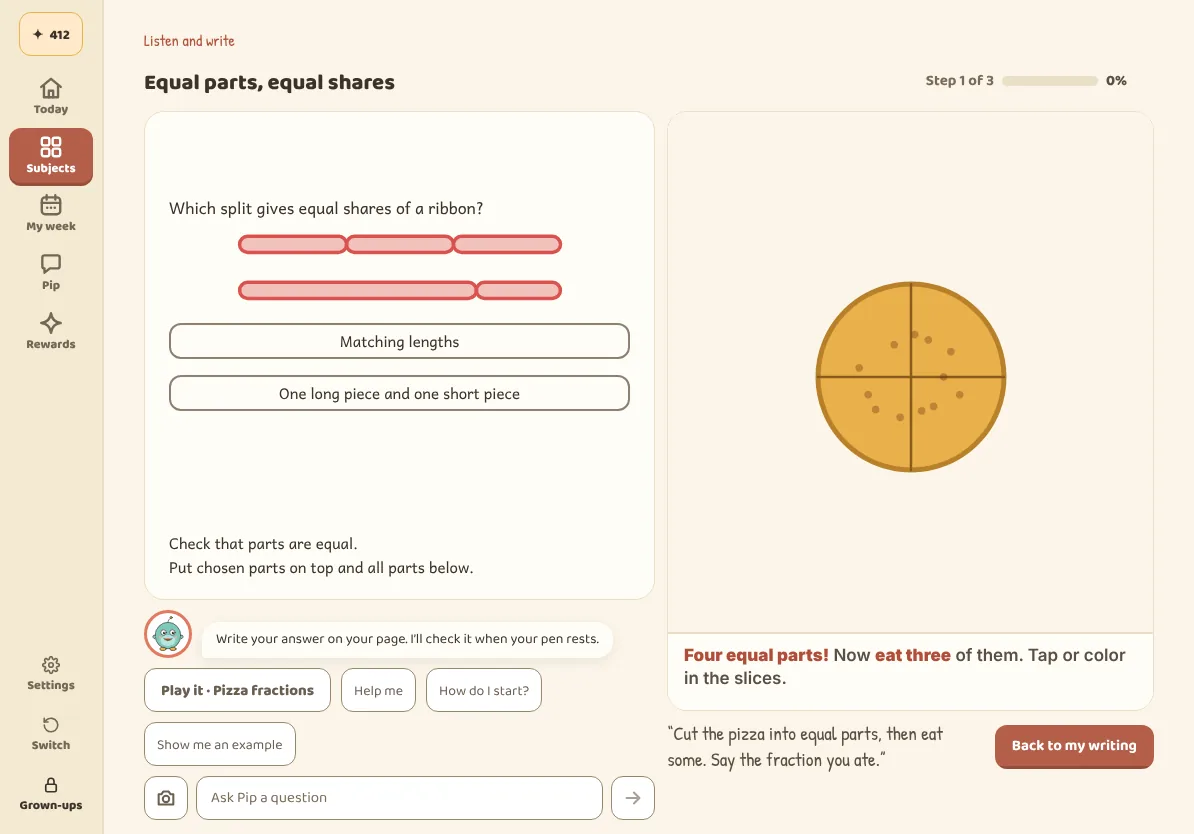
Pizza fractions
Cut the pizza into equal slices with the pen, eat some and say the fraction you ate.
“Four equal parts! Now eat three of them.”
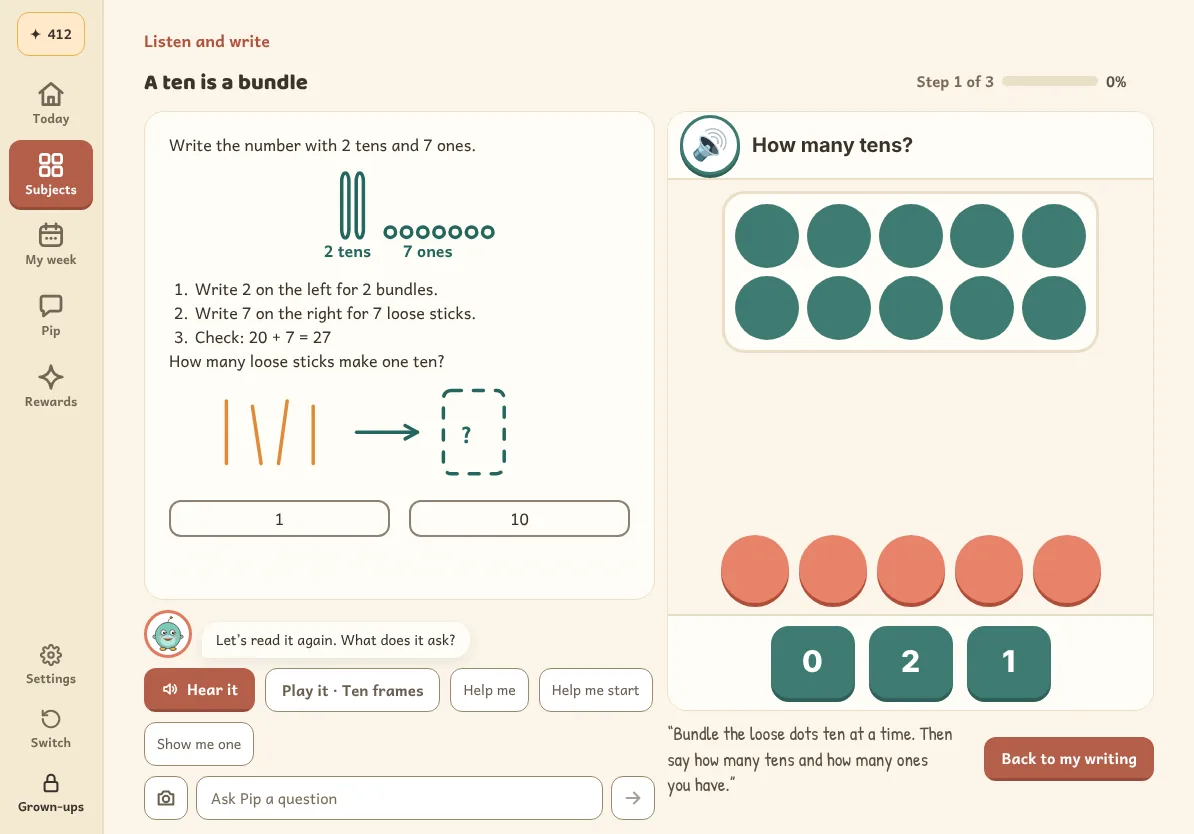
Ten frames
Bundle loose dots ten at a time until fewer than ten are left. Every full frame is one ten.
“One ten. How many ones are left?”
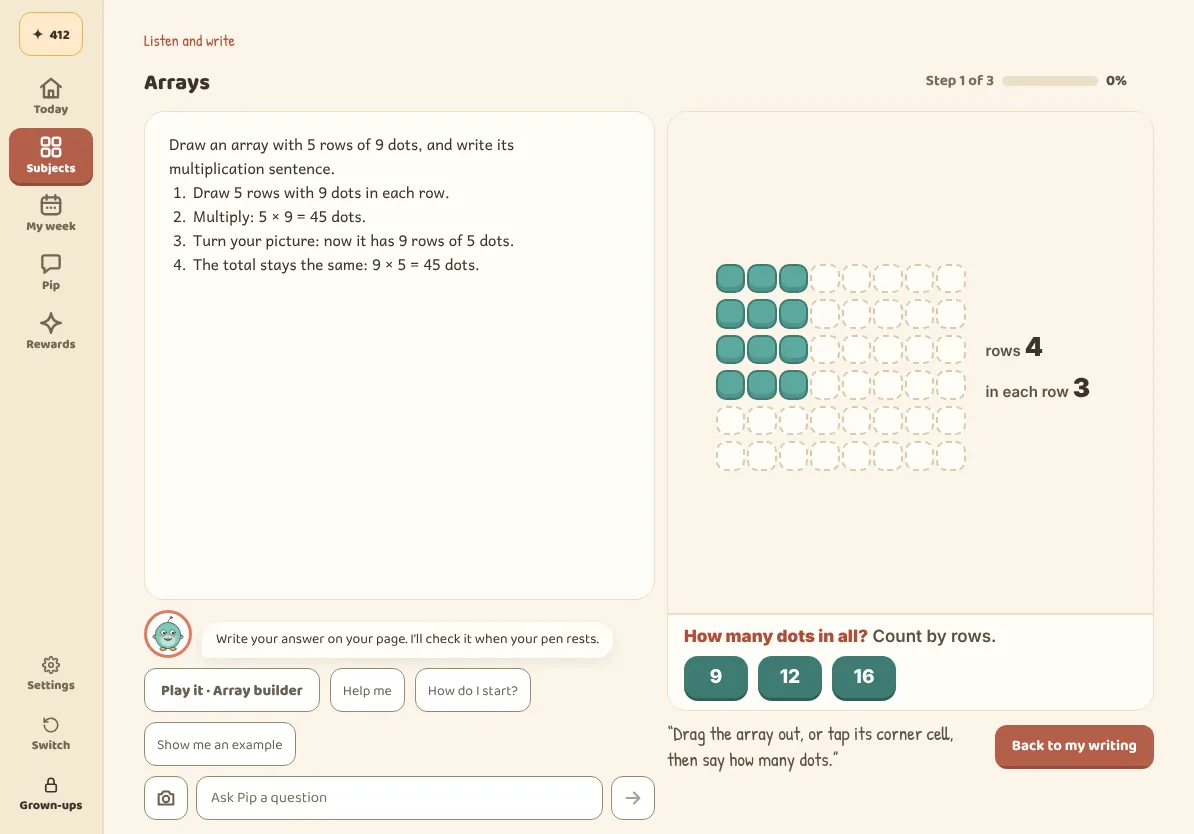
Array builder
Drag out rows and columns, then count by rows to find how many in all.
“4 rows of 3. Count by threes!”
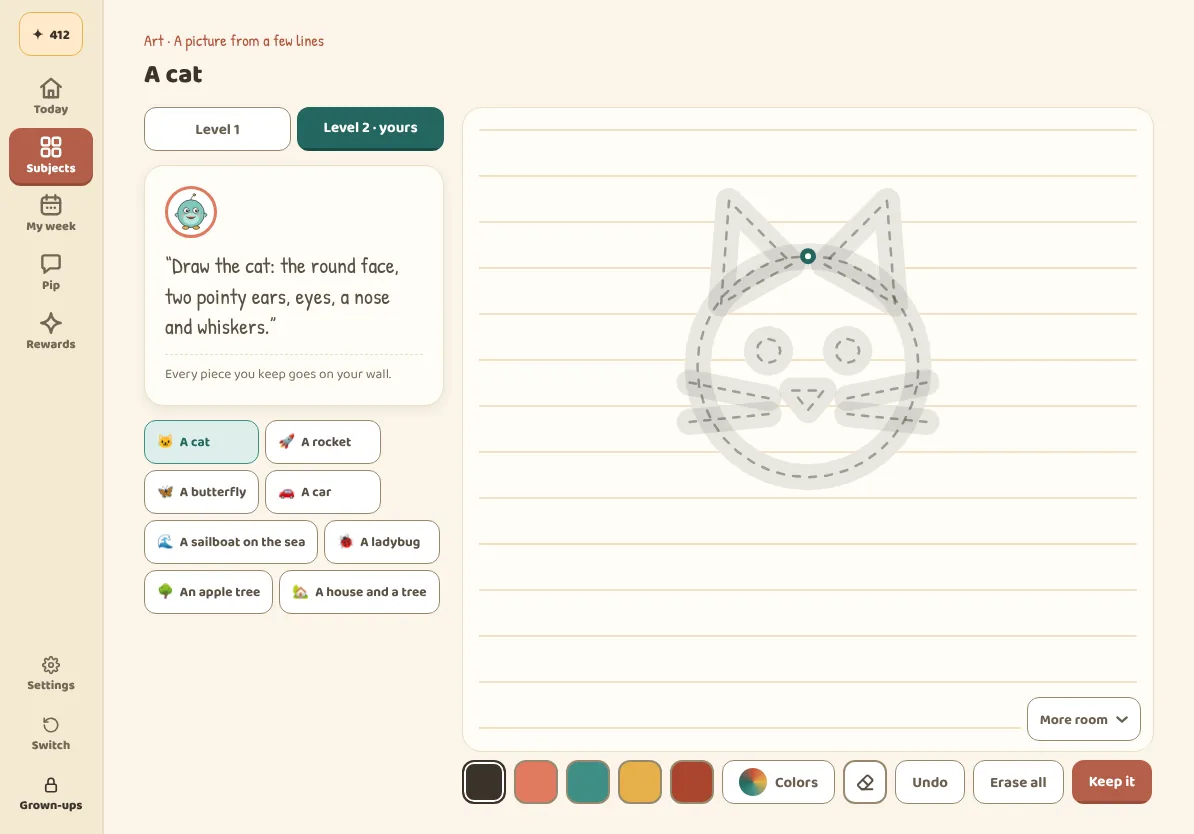
Art studio
Draw a cat, a rocket or a butterfly in levels, from tracing the outline to drawing it all on their own. Every piece they keep goes on their wall.
“Draw the cat: the round face, two pointy ears, eyes, a nose and whiskers.”
Grows up with them
Same tutor, same memory, from kindergarten up.
The screen changes as your child grows. The buddy they drew and everything it knows about them stays.
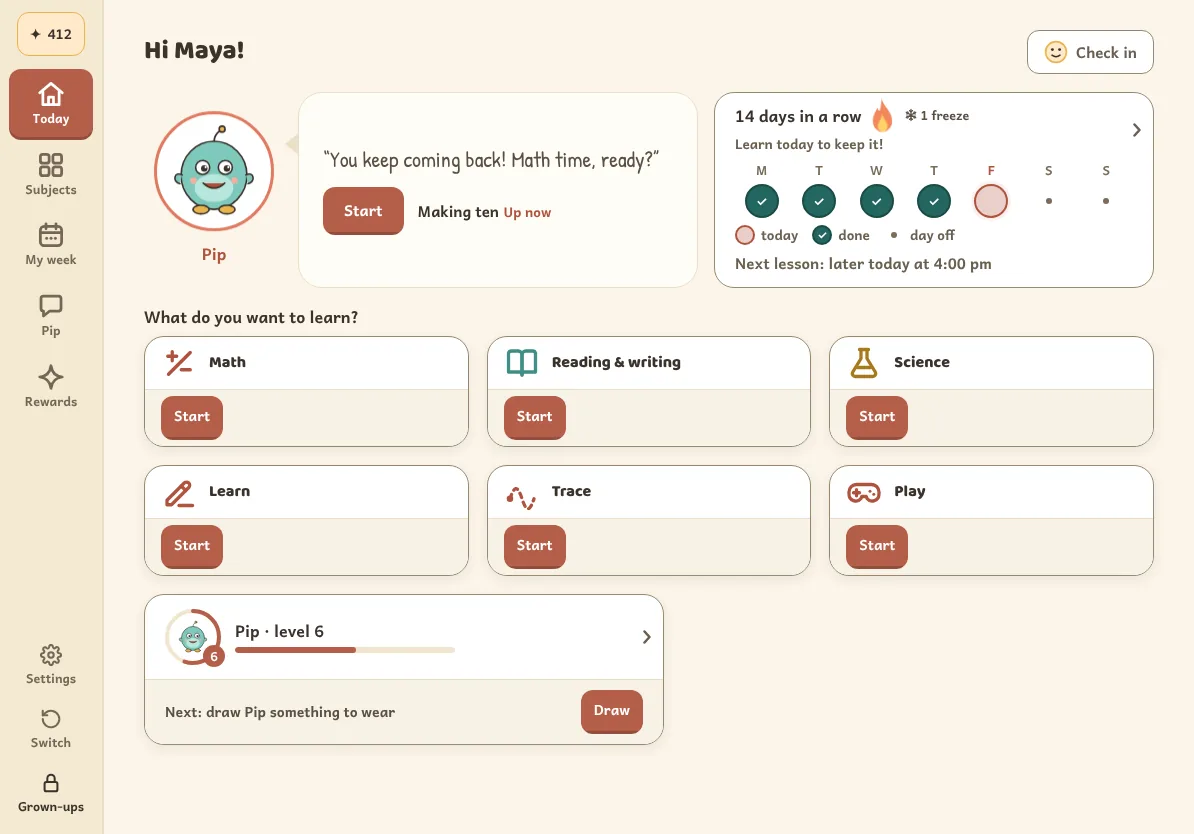
Kindergarten to grade 2
Today’s three lessons up front, a buddy that talks them through each one and lots of small wins along the way.
- Letters traced with the pen and scored on the tablet
- Counting, sounds and first science with pictures for every question
- Sparks to spend on stickers and pens
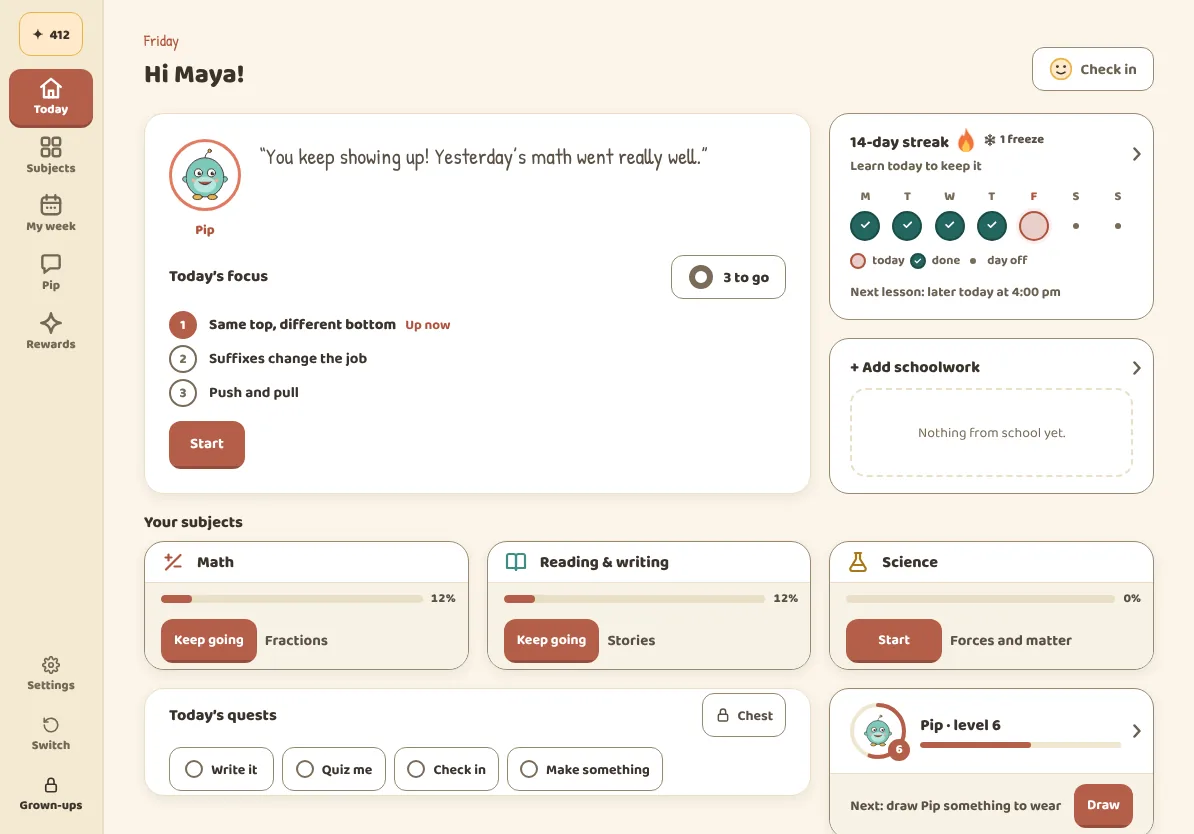
Grades 3 to 6
A calmer screen, longer problems and more of their own writing. The buddy asks for reasons, not just answers.
- Fractions, decimals and ratios worked on the page
- Reading with evidence: “show me where it says that”
- Science that explains forces, matter and living things
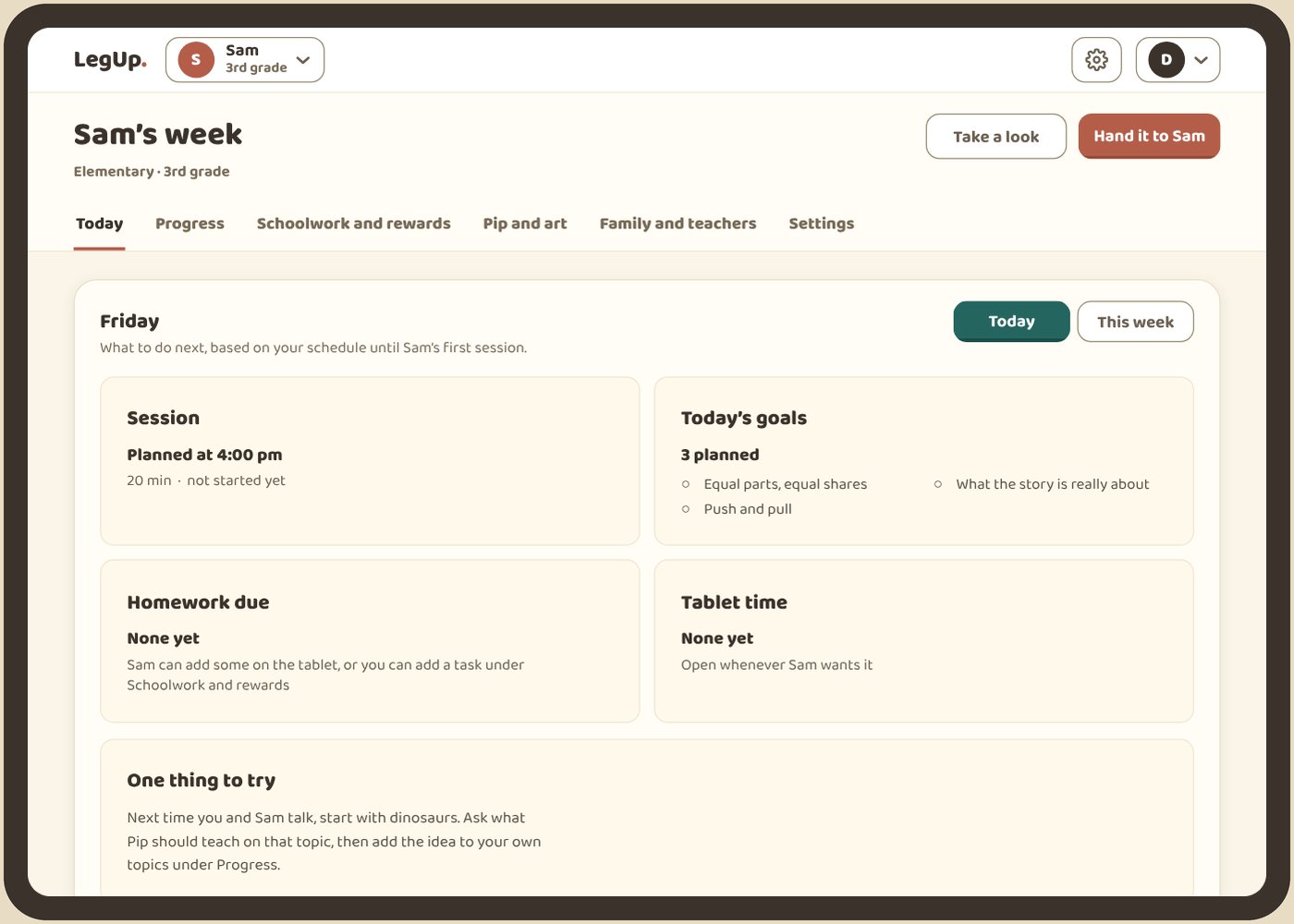
For parents
You stay in the loop without sitting next to them.
A Friday letter from the buddy. Wins, what to watch, how they felt, a new interest and one thing to try at dinner.
A dashboard with real controls. The plan, subjects, schedule, screen time and rewards, all behind a grown-up PIN.
What’s inside
Learning from kindergarten to grade 6.
Math, English and science, with concepts mapped to Common Core, NGSS and England’s national curriculum. Pick a grade to see examples from the current beta.
active concepts across seven grades
quiz questions across those concepts
subjects: math, English and science
minutes a day for three short lessons
Includes original LegUp lessons and published adaptations from Oak National Academy. Art and drawing practice sit alongside these three subjects. These counts describe the current lesson bank, not complete coverage of every standard.
The app also supports social studies, computing, health and wellbeing, life skills and learning to learn. Published lessons for these five subjects are not in the current lesson bank yet.
We’re also building our own learning-decision model to choose the kind of help a child needs. It is in development and is not choosing lessons today. How today’s plan works and what we’re building
96 concepts in kindergarten
Math 40
- One number for one object
- Counting on
English 32
- Rhyming pairs
- Blending three sounds
Science 24
- Push or pull
- The sun warms
95 concepts in grade 1
Math 42
- Making ten
- Comparing two-digit numbers
English 29
- sh, ch, th
- Opinion with a reason
Science 24
- Shaking makes sound
- We see with light
123 concepts in grade 2
Math 68
- Regrouping in addition
- Fractions of a whole
English 31
- Explaining with because
- Compound words
Science 24
- Properties of materials
- Best material for a job
120 concepts in grade 3
Math 49
- Fractions live on the number line
- Arrays and area
English 33
- Show me where it says that
- Word parts unlock meaning
Science 38
- Magnets and electric forces
- Life cycles
113 concepts in grade 4
Math 43
- Equivalent fractions
- Decimals are fractions in disguise
English 29
- Read between the lines
- Context clues
Science 41
- Waves: amplitude and wavelength
- Rock layers and time
136 concepts in grade 5
Math 70
- Compare decimals
- A fraction of a fraction
English 29
- Theme, with proof
- Figurative language
Science 37
- Matter is made of particles
- Conservation of matter
109 concepts in grade 6
Math 38
- Ratios say how two things compare
- Dividing fractions
English 24
- Central idea and its details
- Cite it
Science 47
- Living things are made of cells
- Energy and matter in ecosystems
Inside the beta
What LegUp brings to practice.
- Handwriting first
- Write, circle and sketch on the tablet. The buddy reads the work to guide the next step.
- Help with graded practice
- Server-side checks screen replies against the answer key. AI can still make mistakes.
- Kindergarten to grade 6
- Published math lessons from kindergarten to grade 6, English from kindergarten to grade 5 and science from grade 3, with review mixed into practice.
- A buddy that grows with your child
- Saved work and learning history help personalize the next practice session.
- Family tools
- See progress and saved work in your family account, with controls for your child’s learning.
Questions
What parents ask us.
Is it really free?
Yes. LegUp is free during the beta.
Do we need a tablet or a stylus?
A tablet with a stylus is best, because LegUp is built around writing by hand. Some activities also work with touch. You can try this page on any screen.
Can we download an Android or iOS app?
Use the web app today on any tablet. Our Android app is in closed testing and an iOS app is planned. In most browsers you can add LegUp to your home screen, and the app shows you how.
Will the buddy just give my child the answer?
No. The answer key stays on LegUp’s server, and every reply about graded work is checked against it before your child sees it. Like any AI, the buddy can still get things wrong, so it’s a helper, not a replacement for a teacher or for you.
Who sees my child’s work?
You do, in your family account. To read handwriting and talk, the app sends what it needs to outside AI services. LegUp never sells your data and shows no ads. Using your child’s work to improve LegUp is on during the beta, and you can switch it off anytime.
How privacy and controls workIs the buddy on this page live AI?
No. The lesson, the buddy drawing and Pip on this page are scripted previews that run in your browser. They don’t contact an AI service or save anything. The app you sign in to is separate.
How do we get started?
Open LegUp and sign in with your email. New families are walked through setup and drawing a buddy. Returning families go straight to their account.
Start freeGive your kid a leg upthat lasts.
Start freeFree during the beta. Kindergarten to grade 6.
Works in the browser on any tablet. Our Android app is in closed testing, and an iOS app is planned.
On Google Play for Android tablets, and on the web for everything else.